Placement & mounting guide
Where you put a node matters more than almost anything else you buy. Here is how to choose a spot, mount it, and stay safe.
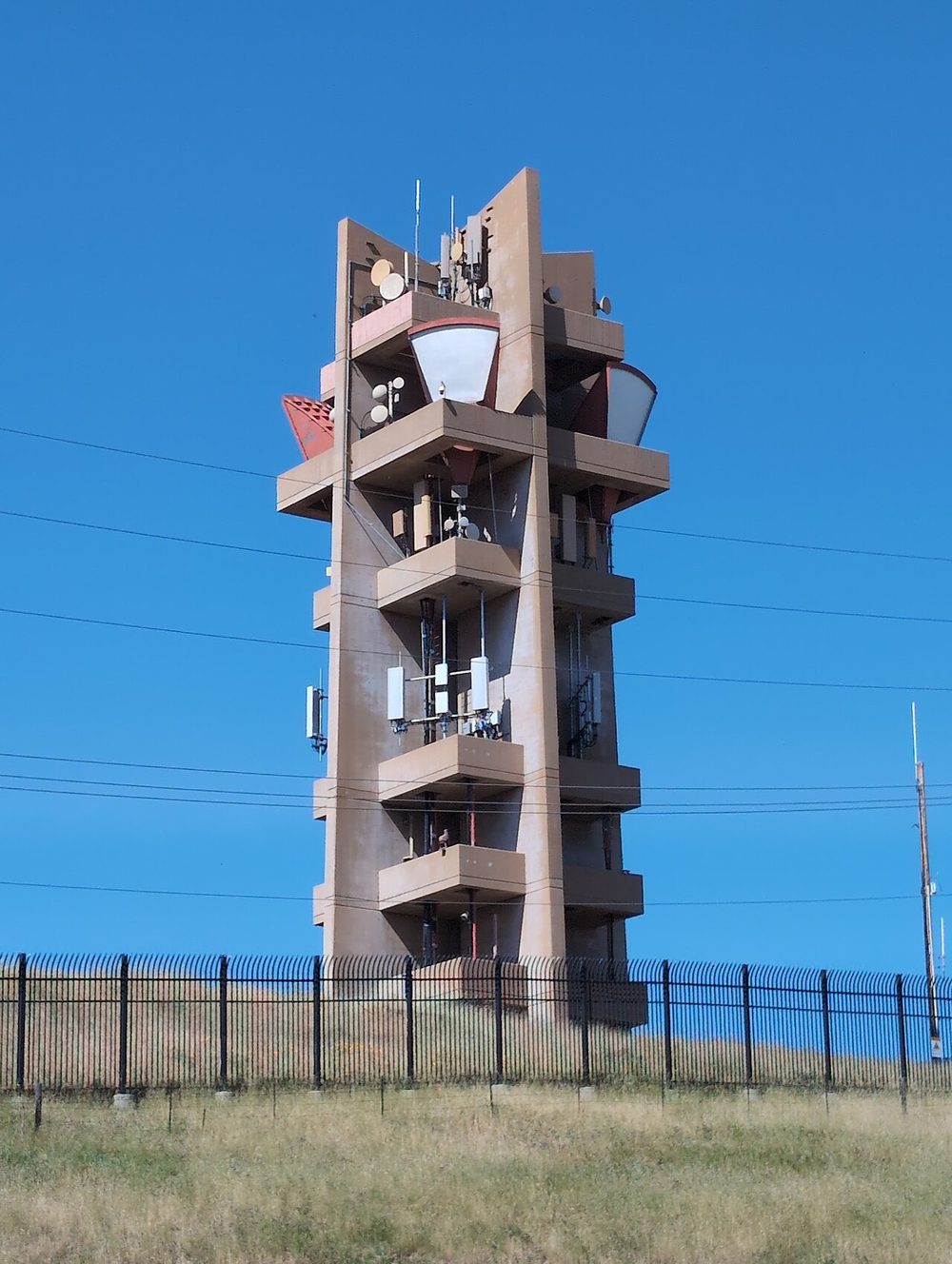
The basics
- Height and a clear view beat power. LoRa works best when the antennas can “see” each other. Raising a node a few feet can help more than any setting.
- Obstacles hurt. Trees, buildings, hills, and thick walls all weaken the signal. Wet leaves and dense branches absorb more than you'd expect.
- Metal and concrete block radio. Keep antennas away from metal surfaces, and avoid placing a node inside a metal box. Low-e and metal-coated glass can also block signals.
- Keep the antenna upright. Most common antennas work best vertical and clear of other objects.
- Start simple. A window is a fine first spot. Move outdoors and higher only after you've tried it.
- Test before you install. Try the hardware and settings on a bench and at a lower height first. Don't climb up with something you haven't tested.
The river valley and bluffs around St. Paul give some neighborhoods very good natural high ground. Ask local users what has worked, and check the MeshCore map to see where nodes already are.
Free scouting tools. Organic Maps (iPhone, Android, F-Droid) and OsmAnd (iPhone, Android, F-Droid) are open-source offline map apps, and OsmAnd shows terrain contours. The Meshtastic Site Planner is a free web tool that estimates coverage from a location. Treat any prediction as a guess and test it with a real radio.
Pick a role carefully
Meshtastic
- Client (the default) is right for almost everyone. It sends your messages and helps relay for others.
- Client Mute never relays. It suits indoor nodes, extra nodes, and nodes sitting next to a stronger one in a busy area.
- Client Base suits a well-placed attic or rooftop node that should prioritize your own other nodes.
- Router and Repeater always rebroadcast. Project guidance says to avoid them unless you have a specific, well-understood reason and a truly strategic location. Bad placement or too many can cause collisions and shorten effective range.
- Leave the hop limit at the default of 3. Fix placement before raising it.
MeshCore
- Companion is your personal radio. By default it does not forward other people's traffic.
- Repeater forwards traffic and suits a fixed hilltop or rooftop site. It is the backbone of a MeshCore network, so talk to the local group before putting one up so it fits the plan.
- Room Server works like an offline message board that stores posts for people who aren't connected.
- Change the default admin password on any repeater or room server right away, and the guest password on a room server. The defaults are in MeshCore's public docs.
- Use the official firmware and flasher from meshcore.io.
Hardware checklist
- The right antenna. Buy one made for the US 902–928 MHz band. Some listings are for 868 MHz (Europe) or other bands. The stock antenna on many boards is short and weak, and a better 915 MHz antenna is often the cheapest range upgrade. Higher gain isn't always better, because it narrows the beam up and down.
- The right connector. SMA, RP-SMA, and U.FL are different. Check what your board uses before you buy an antenna or cable.
- Short, low-loss cable. Every foot of cable loses signal at 915 MHz. Keep it short. Thin cable that came free with a kit isn't a good long-run choice.
- A weatherproof enclosure. For outdoor nodes, use a rated box with sealed cable entries.
- Power. A USB power source, or a solar panel with a battery and charge controller for off-grid nodes.
- Lightning and surge protection for any permanent outdoor antenna. See below.
Mounting
- Get permission. Ask your landlord, building owner, or HOA before mounting anything on a building. Don't attach anything to utility poles, cell towers, or other people's property.
- Seal connectors. Water gets into antenna connectors and ruins them. Use weatherproofing tape or sealing wrap, and leave a drip loop in the cable so water runs away from the connection.
- Secure everything. Wind, ice, and snow load are real in Minnesota. Use proper clamps and brackets, and check them after the first big storm.
- Label your node with a contact method so a neighbor or building manager can reach you.
- Take notes. Write down the location, height, role, and settings so you can maintain it later and tell the local group.
Minnesota winters
- Cold and batteries. Many lithium batteries must not be charged below freezing. Charging them cold can damage them. Check your battery's rating, and look for a charge controller with a low-temperature cutoff.
- Short days and snow. Solar panels covered by snow or in low winter sun produce little. Size the battery to ride through several dark days, and tilt panels steeply.
- Ice. Ice on an antenna can detune it. Keep antennas clear of overhangs where ice builds up.
Safety
- Falls are the biggest risk. Never work on a roof or tall ladder alone, in wet, icy, or windy conditions, or during a storm. Tell someone where you'll be.
- Stay away from power lines. Keep masts, poles, and ladders well clear of overhead lines. A commonly cited minimum is 10 feet for ordinary lines, but call the utility if you're unsure, and never raise a mast that could fall toward a line.
- Lightning. A strike near an antenna can damage equipment inside the building, not just the antenna. A permanent outdoor installation should use surge protection and proper grounding that follows local electrical code. If you're unsure, hire a qualified installer or electrician. Disconnect or stay away from outdoor gear during storms.
- Don't climb towers or tall structures without proper training and equipment.
- Radio habits. Never power on a radio without an antenna attached. These are low-power radios, but keep the antenna away from your face while transmitting.
- Batteries. Use the charger that came with them or one made for that battery type. Swollen, very hot, or damaged batteries should be taken out of use and disposed of safely.
This is general guidance, not a substitute for professional installation advice or local codes. If a job feels risky, don't do it. A node on a windowsill works fine.
Sources
- Meshtastic configuration tips
- Meshtastic: choosing the right device role
- MeshCore FAQ (official docs)
- Meshtastic LoRa configuration
These pages are general guidance gathered from project documentation and community sources, last reviewed November 17, 2026. Firmware and apps change, so check each project's current docs.